KeepTrack
You download. We remember.
Every file you download makes sense in the moment. Two weeks later, your Downloads folder is a mess. KeepTrack natively captures your intent at download time, keeping your computer clean automatically.
Every file you download makes sense in the moment. Two weeks later, your Downloads folder is a mess. KeepTrack natively captures your intent at download time, keeping your computer clean automatically.


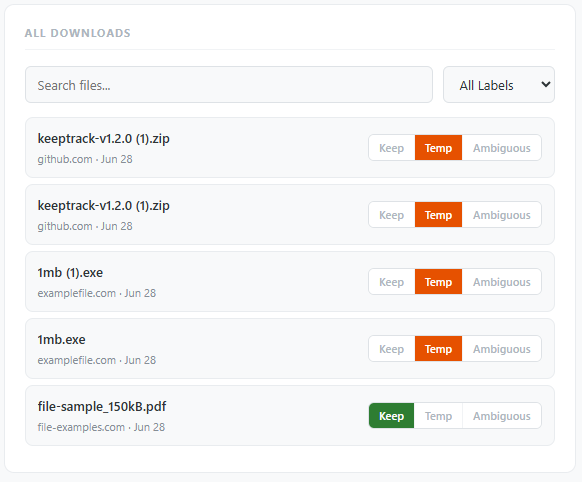
Automatically classifies every download as Keep, Temporary, or Ambiguous using intelligent heuristics based on file type, filename keywords, and source domain.
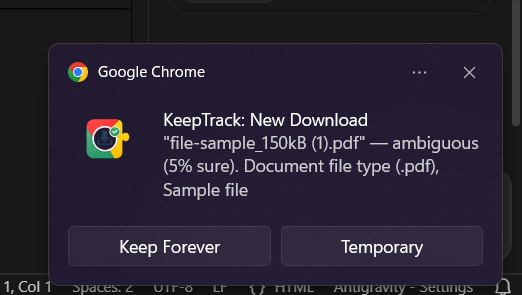
Only interrupts you for ambiguous downloads where it needs your input. High-confidence decisions are made silently in the background, keeping you focused.
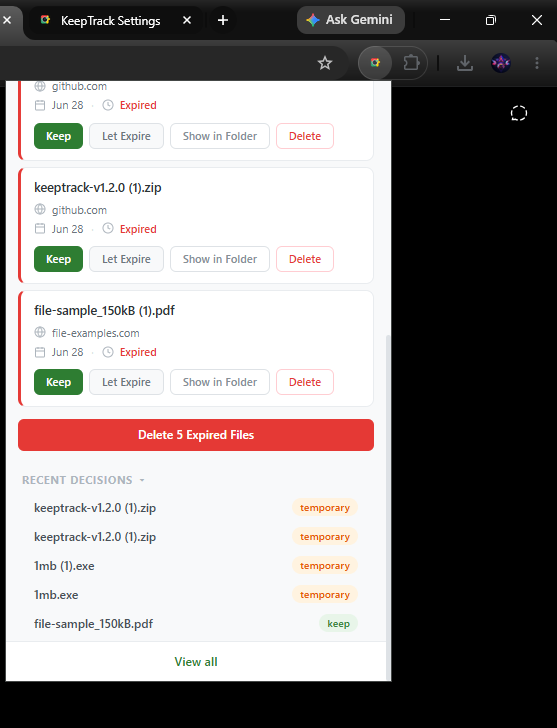
Review files flagged as Temporary directly from the extension popup. Keep what you need, or bulk delete all expired files from your disk with a single click.